 Pixsolo
Turn screenshots and screen recordings into 3D phone mockups and animated videos
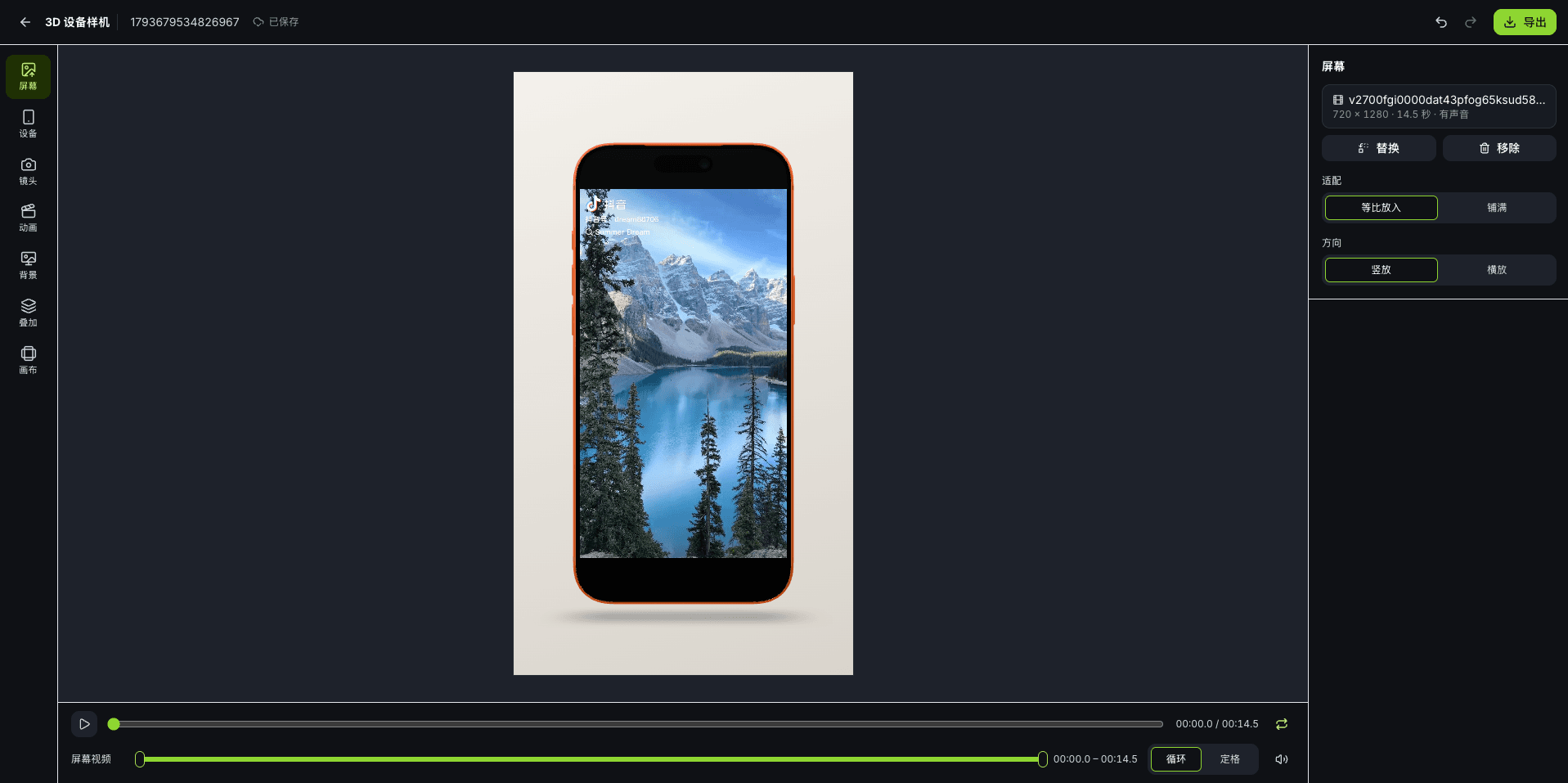
3D Device Mockup is a free online tool from Pixsolo. Upload a screenshot or screen recording and place it on a 3D iPhone 17 Pro Max. Drag to rotate the camera or the device, or pick one of 6 camera angles — front, left 45°, right 45°, from above, from below or back — then apply an animation such as push in, 45° swing, float, side flip, 360° turntable or pull out. Use a gradient, solid, transparent, image or video background, and add text, watermarks and stickers. Export a sharp image, or an MP4 or WebM video that keeps your recording's original sound — ready for product launches, websites, social media and presentations. Rendering and export happen in your browser, and projects save automatically so you can continue on another computer.
Free to use — just sign in. Please open it in a desktop browser
Make a 3D mockup in three steps
- 01
Add a screenshot or recording
Drag in or choose a screenshot (PNG, JPG, WebP) or a screen recording (MP4, MOV, WebM, up to 60 seconds). It fills the phone screen automatically — fit or fill — and you can turn the phone sideways for landscape content.
- 02
Set the camera and animation
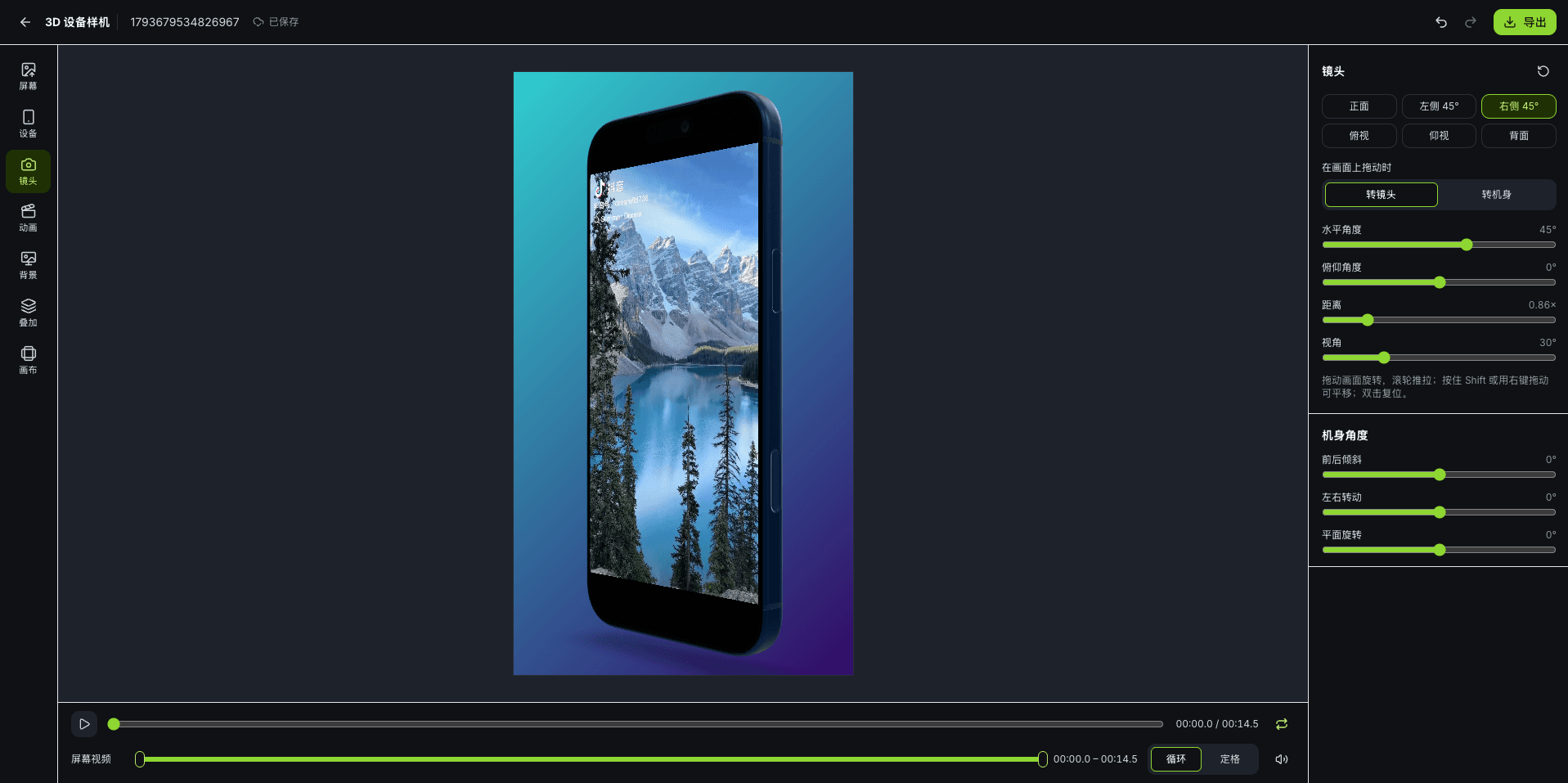
Drag to rotate the camera or the device and scroll to zoom. Pick an animation preset, then adjust its start, end, easing and length. Add a background, text, watermarks and stickers here too — every step can be undone.
- 03
Export an image or video
Export the frame under the playhead as PNG, JPG or WebP, or the whole animation as MP4 or WebM. When the screen is a recording, its original sound is kept.
What you can do
A real 3D phone
An iPhone 17 Pro Max model in Cosmic Orange, Deep Blue or Silver, with adjustable screen glare, environment lighting and contact shadow, rendered live in your browser.
Camera & angles
Switch between 6 camera angles — front, left 45°, right 45°, from above, from below and back — in one click. Drag to rotate the camera or the device, and fine-tune angle, elevation, distance, field of view and the device's tilt on three axes.
7 animation presets
Still, push in, 45° swing, float, side flip, 360° turntable and pull out, generated from your current view. Choose a 3, 5, 10 or 15-second animation and adjust easing, float height and the number of turns; the turntable loops seamlessly.
Backgrounds & overlays
16 gradient presets plus custom gradients, solid colors, transparency, or an image or video background with blur and dimming. Place text, watermarks and stickers in front of or behind the phone, in 9:16, 16:9, 3:4, 4:3 or 1:1.
Image & video export
Images as PNG, JPG or WebP with a short side of 1080 or 2160 px, with transparent backgrounds in PNG and WebP. Videos as MP4 or WebM at 30 or 60 fps with a 1080 px short side, keeping or muting the recording's original sound.
Saves automatically
Every change is saved to your account, so you can sign in on another computer and keep going. Undo and redo up to 100 steps, and duplicate a project to try several versions.
Rendered in your browser, private to you
3D rendering and export happen in your browser, and exported images and videos download straight to your device without going through our servers. So you can come back to your work, projects and screen media are saved to your account and only you can open them; recordings are converted to 1080p in your browser before upload, and the original file is never uploaded. Deleting a project permanently removes its scene, cover and media files right away — this can't be undone.
FAQ
- Is 3D Device Mockup free?
- Yes. It's free, uses no credits and adds no watermark to your images or videos — just sign in to your Pixsolo account to start.
- Are my screenshots and recordings uploaded?
- They're saved to your account so you can continue later, and only you can open them. Recordings are converted to 1080p in your browser before upload; the original file isn't uploaded. Each account can store up to 2 GB of 3D media, and deleting a project removes its media immediately. 3D rendering and export happen in your browser.
- Which phones are supported?
- Currently the iPhone 17 Pro Max in Cosmic Orange, Deep Blue and Silver. For flat mockups with iPad, Mac, Apple Watch and other devices, use the free Device Mockup Generator.
- How long can the exported video be?
- When the screen is a recording, the export follows the recording — the longer of the trimmed clip and the animation — up to 60 seconds. When the screen is an image, the video is as long as the animation: 3, 5, 10 or 15 seconds. Videos are MP4 or WebM, 30 or 60 fps, with a 1080 px short side.
- What do I need? Does it work on a phone?
- You need a desktop browser: the latest Chrome or Edge, or Safari 17 or later. If the window is narrower than 1024 px, you'll be asked to switch to a computer. Screenshots can be PNG, JPG or WebP (up to 20 MB); recordings can be MP4, MOV or WebM (up to 200 MB and 60 seconds). Some Windows PCs can't decode iPhone HEVC recordings — convert them to H.264 and upload again.
More products
- Core toolApp Screenshots MockupStore screenshots, done in four stepsSee full features
- Companion toolAI ImagesFrontier models, every parameter exposedSee full features
- Companion toolRemove BackgroundRemove backgrounds in one click, at full resolutionSee full features
- Companion toolDocument CleanerRemove patterns and shadows for clean, readable documentsSee full features
- Companion toolObject RemoverBox people and clutter, and they're goneSee full features
- Free toolDevice Mockup GeneratorPut images and videos into Apple devicesSee full features
- Free toolVideo to GIFTurn any clip into a looping GIFSee full features
- Free toolPhoto EditorCrop, add text and pixelate sensitive details in one placeSee full features