 Pixsolo
What Pixsolo does
One core tool for store screenshots, one companion tool for every other image you need.
App Screenshots Mockup
A complete production line for App Store and Google Play listing screenshots, aimed at indie hackers, UI/UX designers and ASO teams. Every step runs in the browser, no design background required — frame alignment, corner radii and perspective are handled for you.
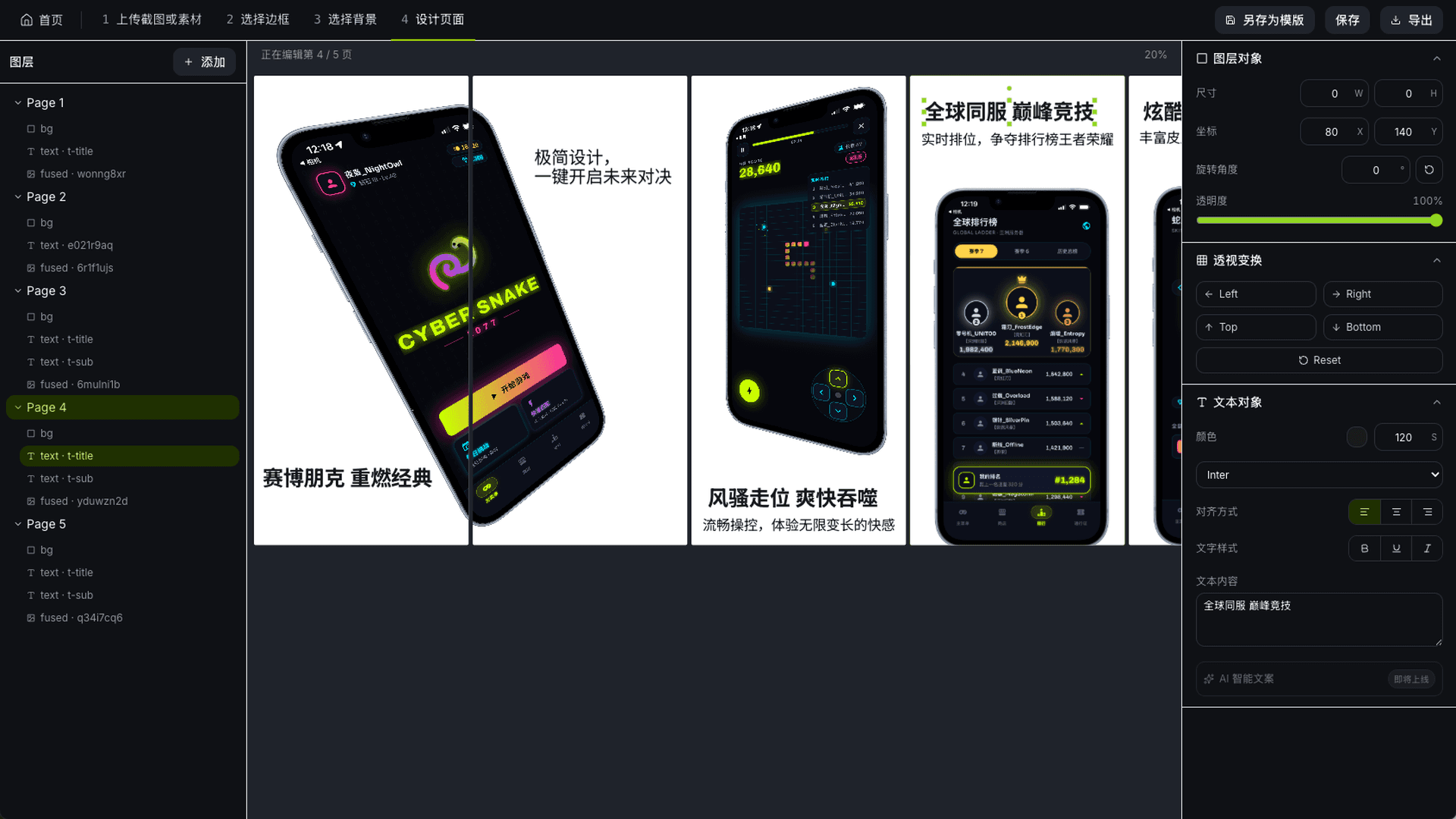
A four-step guided workflow
- 01
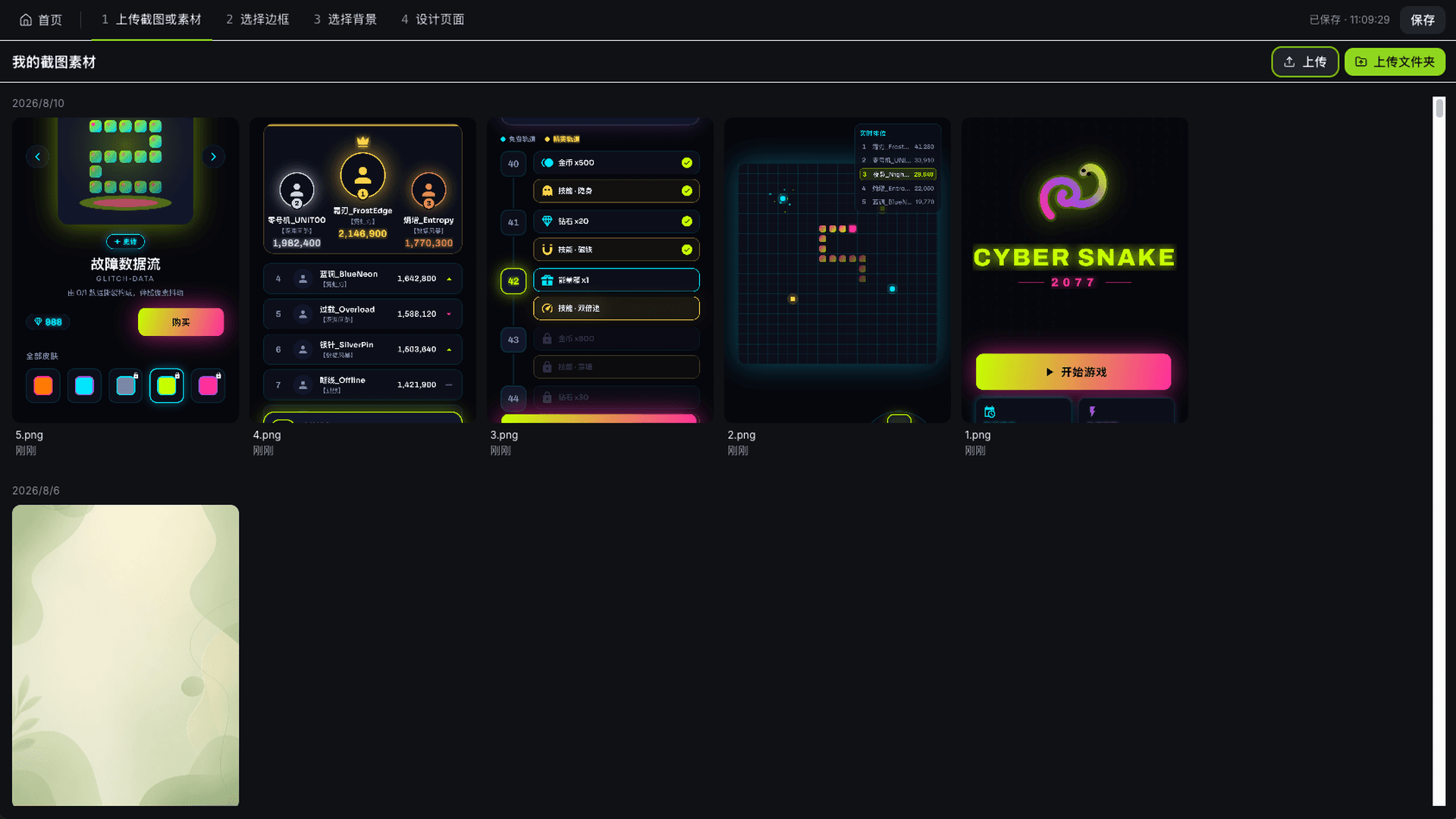
Upload screenshots or assets
Drag your app screenshots in — whole folders import at once. JPG, PNG and SVG assets are welcome too, and everything stays in the cloud project.
- 02
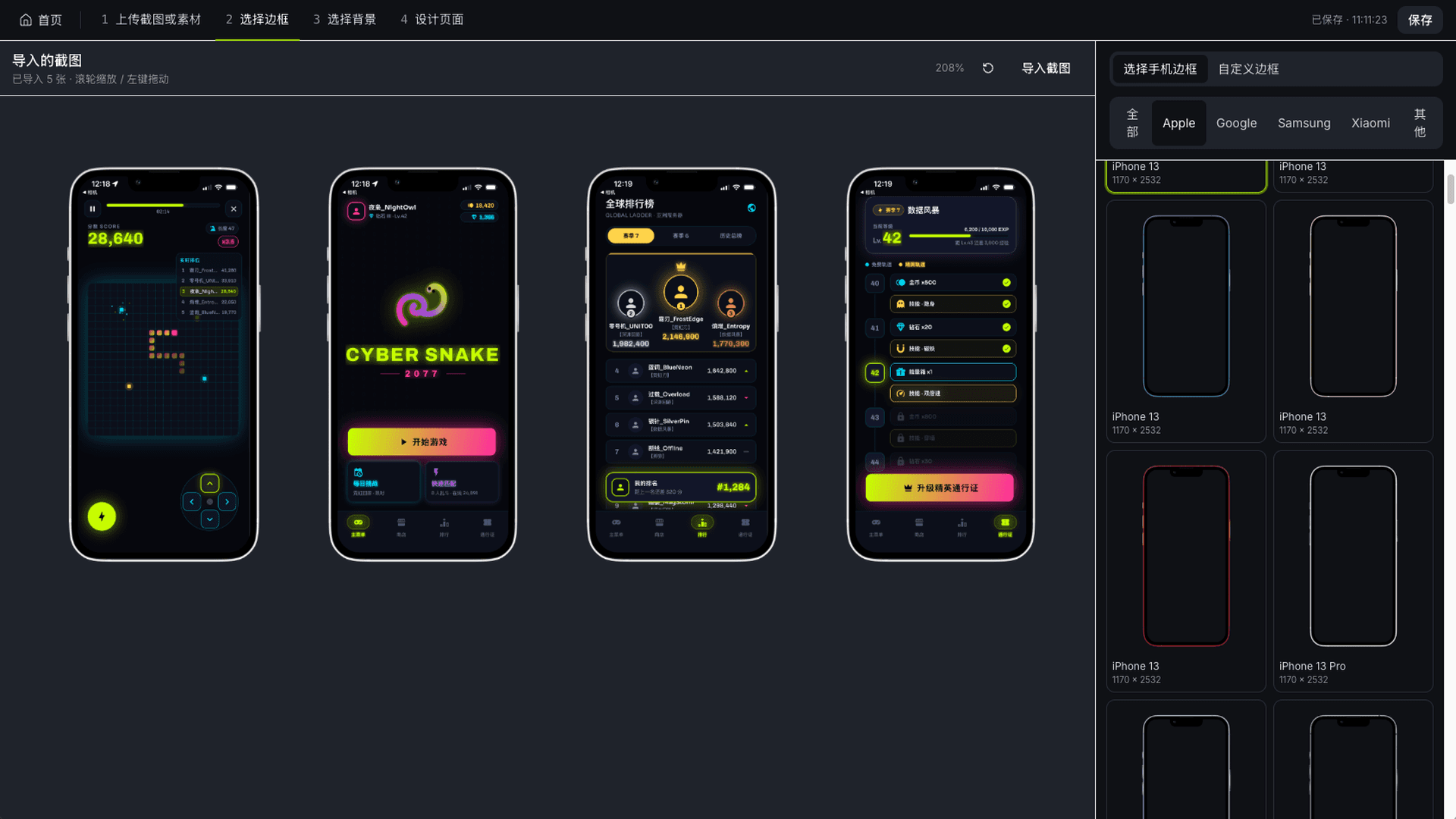
Pick a frame
A real device frame is suggested from your screenshot's resolution; swap it for another model and adjust the perspective.
- 03
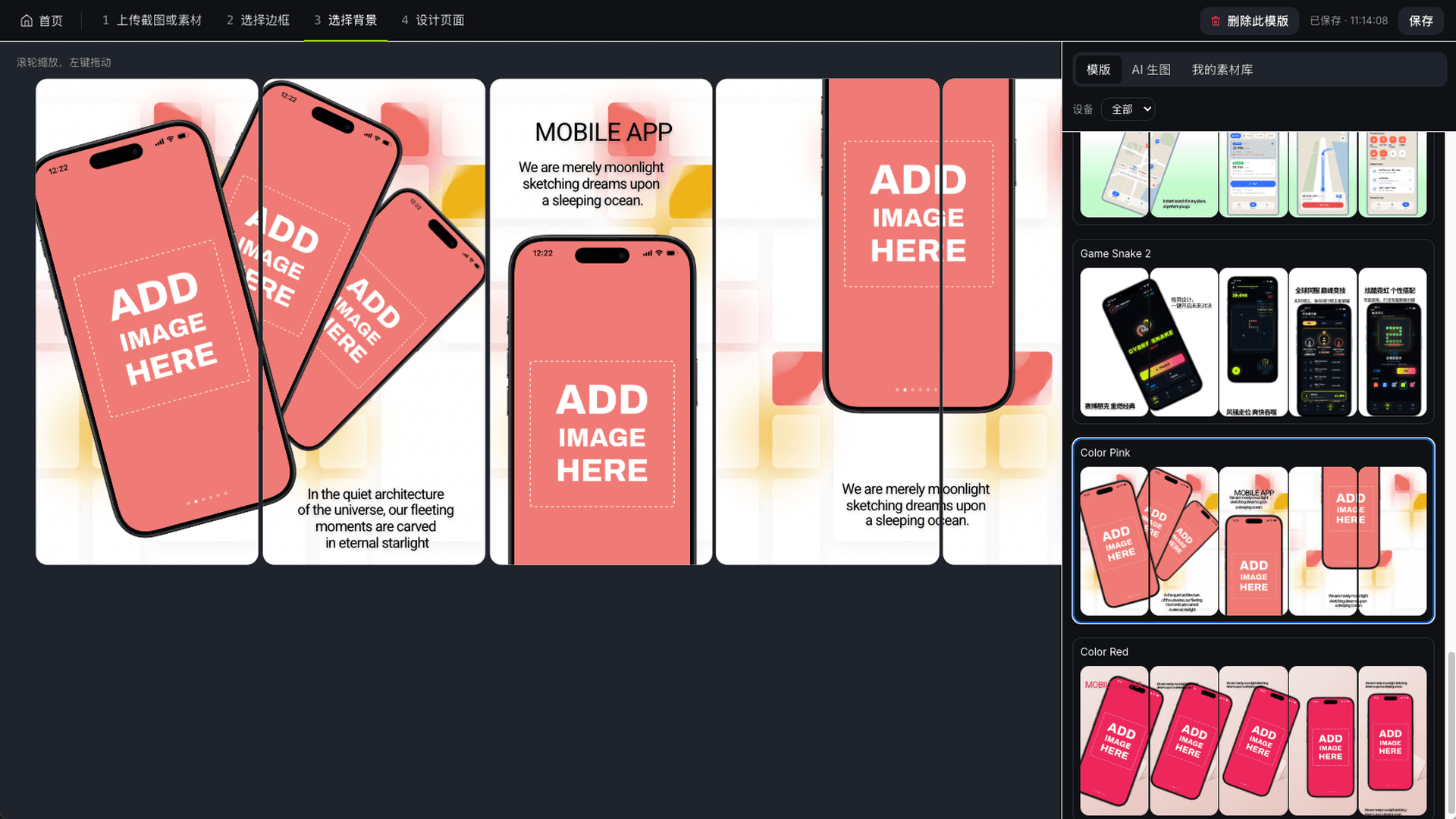
Pick a background
Take one from the template library, from AI generation or from your own asset library — and set the background to a solid colour, a gradient, an image or fully transparent.
- 04
Design the page
Add headline copy, arrange layers and layout with live preview throughout, then export at official store sizes.
AI Images
A standalone image generation tool, deeply integrated with frontier models including Nano Banana Pro, Nano Banana 2 and GPT-5.4 Image 2. Unlike a generator that gives you one prompt box, it hands you the model choice and the full parameter set, so the output can go straight into commercial asset work.
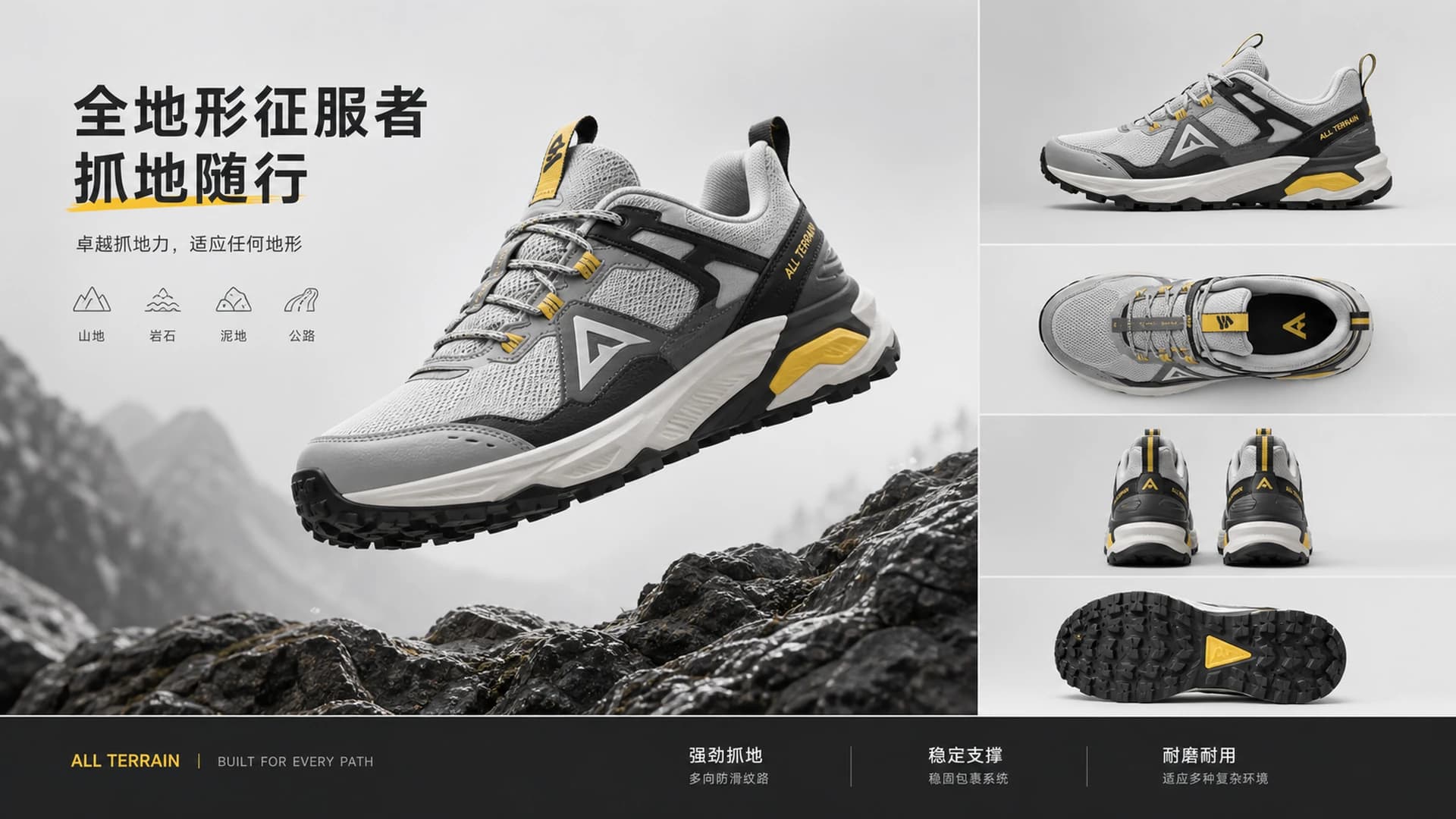

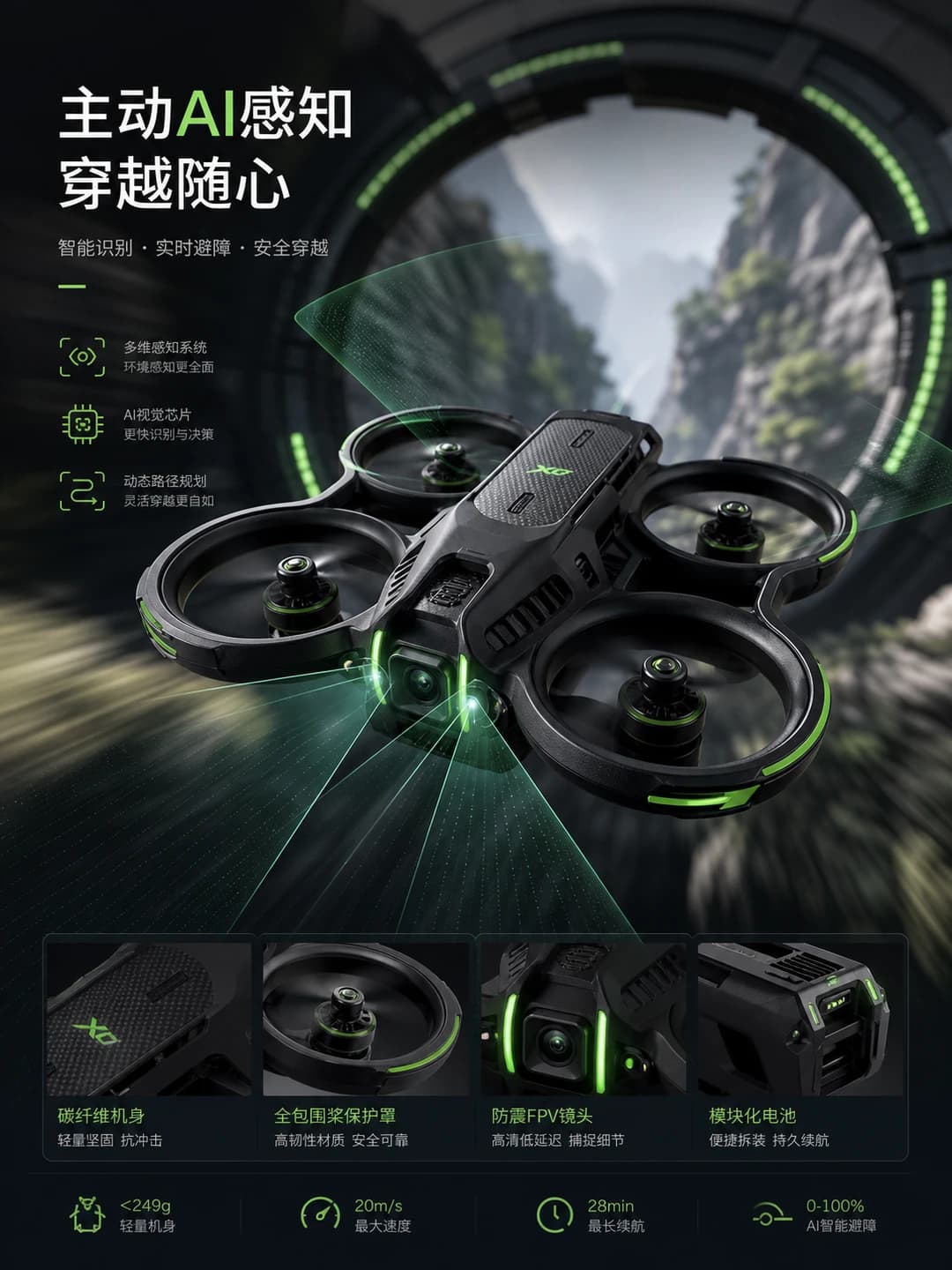

How it differs from a single-prompt-box generator
Choose a frontier model
Nano Banana Pro, Nano Banana 2, GPT-5.4 Image 2 and others — pick the one that fits the shot. The pricing page carries the full model-to-credit table.
Every parameter exposed
Aspect ratio, resolution, quality, background and images per run are all adjustable, so you're not rewriting prompts to force a composition.
References and image-to-image
Multiple reference images are supported, and the previous round's result can carry into the next one — useful for pushing steadily in one direction.
Session-based
Each thread of work is its own session, pinnable and renamable, and results you like go straight into the project asset library.
What both tools share
No install, runs in the browser
A native web application — no heavy installer. Open a browser on Windows or Mac and start.
Cloud projects
Projects and assets live in the cloud, duplicated and switched in seconds, ready on any machine.
Seven interface languages
Simplified Chinese, English, Japanese, Korean, German, Spanish and French, suggested by region.
One credit pool
AI backgrounds and AI Images draw on the same cycle credits — no separate billing.
Both tools live in the same account
Start freeNothing to download. Open a browser on Windows or Mac and start.